



Introduction
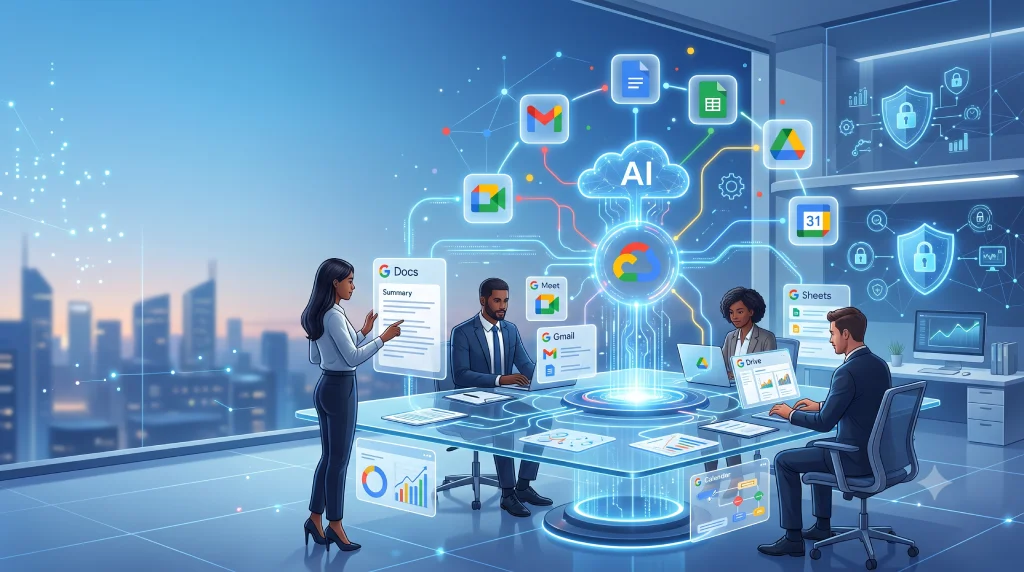
Google Workspace updates this year have transformed the platform more than anything we have seen in the past five years. At Bitsware, we know that adapting to these changes is crucial for maximizing your team's productivity. Much of this transformation is driven by Gemini, but the upgrades extend far beyond AI. From how your team collaborates in meetings to how you secure your business data, the platform has evolved significantly.
Here is a breakdown from the Bitsware team on what has shipped and why it matters for your business today.

1. Gemini Is Now Built Into Every Business and Enterprise Plan
The integration of Gemini into every Business and Enterprise plan is the most impactful structural shift in recent Google Workspace history. Prior to January 2025, accessing premium AI required a separate, per-user add-on, forcing leaders to decide who "deserved" next-generation tools. By bundling these features directly into core subscriptions, Google has democratized AI across your entire workforce and eliminated that extra monthly overhead.
This means an enterprise-grade AI suite is now seamlessly embedded into the applications your team uses daily. Powerful tools like Deep Research and NotebookLM are at everyone's fingertips, alongside AI-assisted writing in Docs and Gmail, and intelligent meeting notes in Google Meet. Gemini is no longer a premium extra; it is a ubiquitous digital assistant ready to help everyone on your roster synthesize data and automate routine tasks.
What this means for you: From a business perspective, the takeaway is clear: it is time to maximize your return on investment. Because these premium AI capabilities are already baked into your existing subscription costs, failing to adopt them means leaving immense, paid-for value on the table. Your strategic focus must now shift entirely toward user adoption, ensuring your workforce actually knows how to leverage these powerful tools to drive daily productivity and operational efficiency.
2. Deep Research Now Searches Your Own Workspace
Deep Research has always been a powerhouse for synthesizing external web data, but the 2026 update turns its focus inward to solve a major business bottleneck. Institutional knowledge is rarely stored neatly; it is scattered across long email threads, quick chats, and buried Drive folders. Deep Research has now been expanded to navigate this internal maze for you.
Operationally, Gemini now acts as a lightning-fast internal analyst, securely pulling and cross-referencing context from your company's Gmail, Google Chat, and Google Drive. Crucially for your IT and compliance teams, this search strictly respects existing Workspace access controls. Sensitive information is only surfaced to authorized users, and your proprietary data is never used to train public models.
What this means for you: From a business perspective, this translates to drastically reduced administrative overhead. Instead of a sales team spending hours hunting down past emails, historical pricing, and old pitch decks, Deep Research generates a comprehensive client briefing in minutes. It effectively transforms your organization's fragmented, scattered data into a clean, immediate strategic advantage.
3. Workspace Studio Lets Anyone Build AI Agents Without Code
We consider Workspace Studio to be the most significant new product launch in the entire year Workspace lineup. Launched globally to all domains in March 2026, it serves as a dedicated, centralized hub where anyone in your organization can create, manage, and share custom AI agents. Previously, building workflow automations required specialized IT knowledge or complex coding, which often created long bottlenecks for productivity improvements.
Workspace Studio completely removes that technical barrier. End-users can simply describe the automation they need in plain language, and Gemini essentially acts as the developer to build it. Whether your team needs an agent that monitors a shared inbox to categorize support tickets, or a bot that automatically compiles weekly metrics from Sheets into a Docs summary, employees can easily design tools specifically tailored to eliminate their daily friction points.
What this means for you: From a business perspective, this empowers your everyday workforce to solve their own operational inefficiencies without waiting on an overwhelmed IT department. By allowing your team to instantly spin up automated task trackers, custom support triage systems, or localized content generation workflows, you are dramatically accelerating turnaround times and freeing up your staff to focus on high-value, strategic work instead of repetitive administrative tasks.
4. NotebookLM Got a Major Upgrade
NotebookLM has rapidly become an essential tool for secure internal knowledge management. Unlike public AI models, NotebookLM works strictly from the specific documents you upload, guaranteeing that your proprietary information remains completely siloed and is never used to train open models. This makes it an incredibly safe and highly effective resource for streamlining employee onboarding, synthesizing complex sales enablement materials, and managing vast repositories of company data.
With the latest updates, the tool has received a massive overhaul by transitioning to the powerful Gemini 3 model, bringing vastly improved logical reasoning and deep multimodal understanding. It can now ingest a much wider array of sources, seamlessly processing Google Docs, Slides, PDFs, web URLs, YouTube videos, and even raw audio files. Furthermore, it can transform this raw data into highly usable formats. Joining the popular Audio Overviews, Video Overviews, Mind Maps, Flashcards, and Slide Decks is a brand-new Data Table output format that structures complex text into clean, readable charts instantly.
What this means for you: From a business perspective, NotebookLM completely redefines how your team interacts with static information. Instead of employees spending hours reading through dense training manuals or disjointed project files, they can instantly generate interactive study guides, comprehensive slide decks, or structured data tables. This drastically accelerates the speed at which your team can digest complex information, leading to faster onboarding, sharper project management, and better-prepared sales teams.
5. Gemini in Gmail Can Now Schedule Group Meetings
Coordinating meetings across multiple internal and external stakeholders has long been a classic friction point in everyday business operations. The endless email ping-pong of negotiating time slots drains productivity and often stalls project momentum. Recognizing this, Google has officially expanded the highly requested "Help me schedule" feature within Gmail, upgrading it from simple two-person coordination to robust, multi-person group scheduling.
The feature works intelligently in the background as you communicate. As an email thread naturally evolves into a scheduling conversation, Gemini automatically detects the intent to meet and surfaces a convenient scheduling button directly in the compose window. By seamlessly analyzing the availability of everyone involved on the thread, the AI instantly proposes ideal time slots that accommodate all participants, bypassing the manual back-and-forth entirely.
What this means for you: From a business perspective, this simple but powerful automation eliminates a surprisingly massive daily time sink. By allowing Gemini to handle the tedious logistics of calendar alignment, your employees can reclaim hours previously lost to scheduling administration. It accelerates collaboration, ensures vital team alignments happen sooner, and
6. Google Vids Now Generates Custom Music With AI
Google Vids has already established itself as a highly capable AI-driven video creation tool within the Workspace ecosystem, but the 2026 updates have significantly elevated its overall production value. By integrating audio capabilities powered by Lyria 3,Google’s most advanced music generation model, the platform now allows users to generate high-fidelity, custom music directly within the application. This eliminates the need for expensive third-party stock music subscriptions or complex audio editing software, bringing the entire production workflow under one roof.
The process is designed to be remarkably intuitive for users of any skill level. By simply entering a text prompt describing the desired mood, genre, and tempo, your team can generate unique audio clips or full, continuous tracks up to three minutes long. Whether you need an energetic, upbeat backing track to drive a new product announcement or a calm, focused instrumental for an onboarding module, the AI delivers perfectly tailored audio that aligns seamlessly with your visual content.
What this means for you: From a business perspective, this feature fundamentally democratizes high-quality video production for your entire workforce. Your marketing, human resources, and internal communications departments can now produce polished, highly engaging training materials and company-wide announcements without needing a dedicated audiovisual budget or specialized external agencies. It allows your organization to communicate more effectively while keeping production costs securely in-house.
7. Google Meet Got Smarter About Meeting Security
As hybrid work environments continue to be the standard, managing large-scale virtual meetings requires both seamless presentation tools and robust administrative controls. Recognizing the unique challenges faced by meeting hosts, Google Meet has rolled out two highly practical updates designed to improve the presenter experience while tightening security access. These changes specifically address the daily pain points of running company town halls, expansive client webinars, and departmental all-hands calls.
First, the new automatic picture-in-picture functionality drastically improves how presenters interact with their audience. Previously, sharing a screen often meant losing sight of attendee reactions; now, Meet automatically pops out a secure viewing window of your audience the moment you begin presenting. Secondly, the safeguarded guest admit flow overhauls how hosts manage meeting entry. Instead of a single, chaotic list of join requests, Meet intelligently sorts incoming attendees into two distinct queues, clearly separating verified internal users from external or unauthenticated guests.
What this means for you: From a business perspective, these targeted updates significantly elevate the professionalism and operational security of your corporate communications. Presenters can finally read the virtual room and gauge audience engagement without sacrificing slide visibility, leading to much more effective client pitches and internal presentations. Simultaneously, the streamlined admission queues empower your hosts to uphold strict IT compliance standards, drastically reducing the risk of unauthorized access during sensitive company broadcasts.
8. Gmail Data Classification and DLP Got Expanded
Data security and regulatory compliance are top priorities for any modern enterprise, but relying entirely on everyday end-users to remember and execute complex data policies is a massive operational risk. To address this vulnerability, Google has significantly expanded its Data Loss Prevention (DLP) and data classification capabilities within Gmail, delivering a major win for IT administrators and compliance teams focused on securing sensitive corporate communications.
With this update, administrators can now utilize advanced data classification labels directly in Gmail to seamlessly audit and categorize incoming and outgoing email content. Going a step further, IT teams can establish dynamic DLP rules that automatically append custom header or footer messages to emails based entirely on those specific classification labels. For instance, if an employee is emailing sensitive financial data or proprietary code, the system can automatically attach necessary legal disclaimers or internal warnings without any manual input from the sender.
What this means for you: From a business perspective, this update allows you to enforce critical data policies at scale without relying on human memory. By automating compliance warnings and data classification, you drastically reduce the risk of accidental data leaks and costly regulatory fines. It provides your leadership team with peace of mind knowing that your communication infrastructure is actively safeguarding company assets, while simultaneously freeing your IT department from the burden of manual email audits.
9. Google Calendar Now Has a Smarter Time Zone Picker
As businesses continue to expand globally and embrace distributed remote teams, coordinating schedules across multiple continents has become a daily reality. However, calculating time differences often leads to unnecessary confusion, missed meetings, and lost productivity. While it might initially seem like a minor interface tweak, Google Calendar’s new and improved time zone picker is a massive quality-of-life upgrade for any organization operating beyond a single geographical region.
Previously, setting up an international meeting required users to manually scroll through an overwhelmingly long dropdown list of obscure UTC offsets and unfamiliar regional acronyms. Now, Google has streamlined this process by allowing users to simply type and search by a specific city or country name directly within the calendar event creation window. The system instantly calculates the correct local time for that region, completely removing the mathematical guesswork from global scheduling.
What this means for you: From a business perspective, this removes a surprisingly common source of everyday friction and scheduling errors. Whether your teams are collaborating across India, the US, or Europe, this intuitive update ensures that everyone shows up at the right time, every time. It accelerates the booking process, prevents the embarrassing professional faux pas of scheduling a call at 3:00 AM for a crucial client, and keeps your global operations running smoothly and efficiently.
Which Google Workspace Plan Is Right for You?
With all these powerful updates, ensuring you are on the right plan is more important than ever. The best choice depends entirely on how intensively your team will utilize these new features.
Bitsware is here to help your business evaluate, migrate, and extract the absolute maximum value from Google Workspace. Reach out to the Bitsware team today for a personalized recommendation tailored to your specific operational needs.